
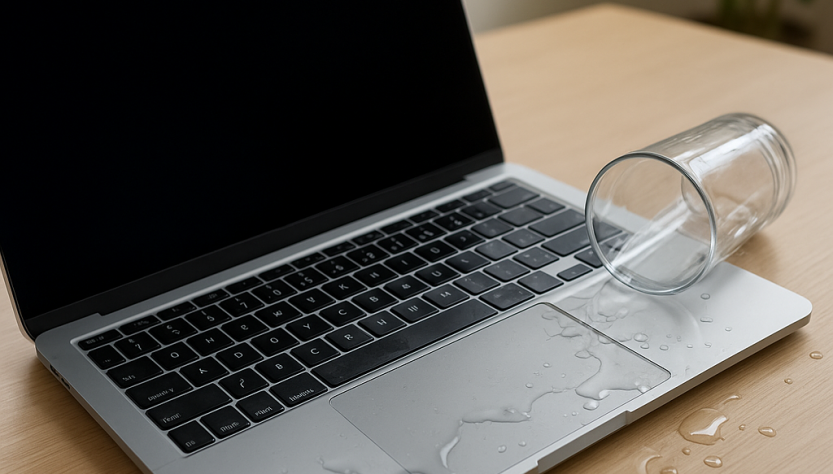
The sudden splash across a keyboard triggers instant panic, yet modern hardware still lacks complete waterproofing despite years of engineering improvements. Understanding how moisture travels through internal layers helps prevent permanent damage. Contemporary machines pack processors and memory into tight spaces, leaving minimal room for accidental spills to evaporate naturally. When liquid ingress occurs, the priority shifts from saving the exterior to protecting the main circuit board from rapid oxidation.
Hardware Vulnerability When Water Spilled On Laptop
Older machine designs featured thick casings and easily removable panels, allowing quick manual drying. Today’s ultra-thin chassis stack multiple circuit layers directly above the keyboard membrane. Even a few drops can bridge electrical contacts, creating short circuits that fry microchips within minutes. The shift toward aluminum and magnesium alloys improves physical durability but does not stop conductive fluids from reaching sensitive traces. Early repair protocols relied heavily on passive air drying, while current standards emphasize active chemical displacement and precision diagonostic testing.
What To Do If Spilled Water On Laptop During The First Hour
- Disconnect power immediately and remove external batteries if the model allows it.
- Flip the device upside down to prevent further seepage into the motherboard.
- Wipe visible moisture with microfiber cloths, avoiding excessive pressure on keys.
- Leave the unit powered off for at least forty-eight hours before any testing.
Recovery Mistakes After Liquid Spilled On Laptop
Household remedies often cause more harm than the initial splash. Uncooked rice absorbs surface humidity but traps moisture inside sealed ports and heatsinks. Hair dryers warp plastic hinges and melt thermal pads. The most recomended approach involves placing the machine in a dry, well-ventilated room while monitoring for internal condensation. Professional technicians use ninety-nine percent isopropyl alcohol rinses and ultrasonic cleaners to remove mineral deposits without damaging solder joints.
Modern liquid damage recovery depends on rapid chemical intervention rather than passive air drying. Delaying professional cleaning by more than seventy-two hours significantly reduces board salvage rates across all major manufacturers.
| Exposure Level | Visible Indicators | Recovery Window |
|---|---|---|
| Surface contact | Sticky keys, minor discoloration | 24-48 hours |
| Partial internal | Trackpad failure, backlight flicker | 48-72 hours |
| Full circuit board | Power failure, acrid odor | Requires specialist intervention |
Long Term Solutions For What To Do When You Spill Water On Your Laptop
Data preservation often takes precedence over hardware restoration. Solid-state drives resist moisture better than mechanical platters, but connector pins remain exposed. Technicians extract storage modules, clean contact points, and run system scans before attempting boot sequences. The integration of factory-applied conformal coatings on 2026 model boards improves resistance, yet consumer-grade units rarely include full environmental sealing. Regular backups and silicone keyboard covers remain the only foolproof preventative measures for heavy users.
For updated regional safety protocols and hardware maintenance standards, consult CNET 2026 Hardware Guide and EU Electronics Safety Framework.
Source: bbc.com (inactive link for archival reference)